How to Adjust Your Workspace to Reduce Eye Strain

How to Adjust Your Workspace to Reduce Eye Strain
By mid-afternoon, your eyes might feel tired, sore, or watery. Sometimes, your vision even gets a little blurry after long hours at your desk. These problems are so common that they are called digital eye strain. The good news is that making a few simple changes to your workspace can really help. You do not have to change your whole setup. Often, small fixes bring the most relief.
Position Your Screen Correctly
When you are working at your station, make sure the top of your screen is at or slightly below eye level. This position means you look down at your screen at a gentle angle. Such a position is more comfortable for your eyes and neck. If the screen is too high, your eyes open wider, which can dry them out.
Also, make sure to sit about an arm’s length from your screen. This distance is usually 20 to 28 inches. If you must lean forward to read text on your monitor, move the monitor closer or increase the text size. Avoid hunching over just to read small letters.
Adjust Your Lighting
Lighting is a big cause of eye strain, but people often overlook it. If you have a bright window behind your screen, it can cause glare and make your eyes work harder. On the other hand, using your monitor in a dark room creates too great a contrast between light and dark. Both can make your eyes feel tired.
Keep windows to your side and use blinds to control bright light. Overhead fluorescents can feel harsh, so rely on a soft desk lamp instead.
Tweak Your Screen Settings
Most monitors are not comfortable to use right away. Making a few quick changes can really reduce eye strain. Try to match your screen’s brightness to the light in your room. Your screen should not look like a bright glowing box in a dark room or a dull spot against a bright wall.
Increase the contrast slightly so the text is easier to read. Most devices let you make text bigger and darker in the settings; use these options. If you are squinting, the text is probably too small or too light.
Many screens now have a blue-light filter or a night mode. These settings reduce exposure to blue light, especially in the evening. Blue light is not proven to cause lasting eye damage, but it can make it harder to sleep and make you more tired if you use screens late in the day.
Remember to Blink
It might seem too simple, but blinking is one of the best habits for your eyes. When you look at screens, you blink much less, sometimes only five to seven times a minute instead of the usual fifteen. Blinking keeps your eyes wet, so blinking less means drier, more irritated eyes. Try putting a small note that says “Blink” on your monitor. It may feel silly, but it really helps.
Take Real Breaks
For the 20-20-20 rule to work, use a timer to keep you in check. Every 20 minutes, stop looking at your computer and focus on an object at least 20 feet away. Focus on it for at least 20 seconds. This change will give your eye muscles a brief chance to relax.
After a few hours, stand up, walk around, and let your eyes rest from all screens for at least ten minutes.
Works With You
Getting digital eye strain does not mean you are weak. It just means your workspace could use some changes. Adjusting your screen, improving lighting, and building habits like blinking and taking breaks can make a big difference by the end of the day. Try making one or two changes today. Your eyes will feel better tomorrow.
To learn more about how to adjust your workspace and reduce eye strain, visit Vision First. We are located in Highland Village, Texas. Call (972) 944-8681 to schedule an appointment.
https://www.health.harvard.edu/healthy-aging-and-longevity/effective-tips-for-reducing-eye-strain
https://www.mayoclinic.org/diseases-conditions/eyestrain/diagnosis-treatment/drc-20372403Quick Links
Helpful Articles
article_category: restorative
article_category: vision therapy
article_category: contact lenses
article_category: health
article_category: conditions
article_category: eye surgery co-management
article_category: exotic
article_category: cosmetic
article_category: products
article_category: psychiatry
article_category: faqs
article_category: cats
article_category: general
article_category: services
article_category: technology
article_category: dogs
article_category: surgical procedures
article_category: aesthetics
article_category: preventative
article_category: ocular disease management
article_category: eyeglasses
article_category: eye health
article_category: large animal
[]
article_category: vision therapy
article_category: contact lenses
article_category: health
article_category: conditions
article_category: eye surgery co-management
article_category: exotic
article_category: cosmetic
article_category: products
article_category: psychiatry
article_category: faqs
article_category: cats
article_category: general
article_category: services
article_category: technology
article_category: dogs
article_category: surgical procedures
article_category: aesthetics
article_category: preventative
article_category: ocular disease management
article_category: eyeglasses
article_category: eye health
article_category: large animal
[]
Flowbite is an open-source library of interactive components built on top of Tailwind CSS including buttons, dropdowns, modals, navbars, and more.
Check out this guide to learn how to get started and start developing websites even faster with components on top of Tailwind CSS.
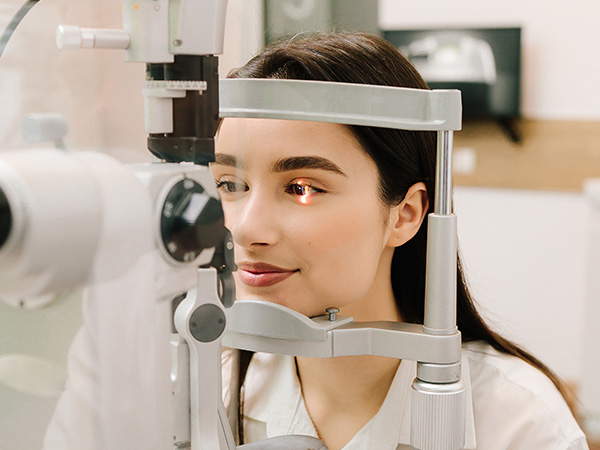
All Eye Care Services
Find personalized eye care excellence with our comprehensive services. From eye exams to advanced diagnostics, trust us for all your vision needs.

Keep In Touch
For non-urgent questions or to learn more about our services, contact us today!
© 2026 Vision First. All rights Reserved - Accessibility Statement - Privacy Policy - Sitemap
Managed and Designed by 